Clean Exit
Beta AccessQuit multiple macOS applications quickly and efficiently. Perfect for developers and power users who want to clean up their workspace instantly.
✓ One-time purchase • ✓ Lifetime license • ✓ No subscription
macOS 11.0 or later required • 3-day free trial included
Features
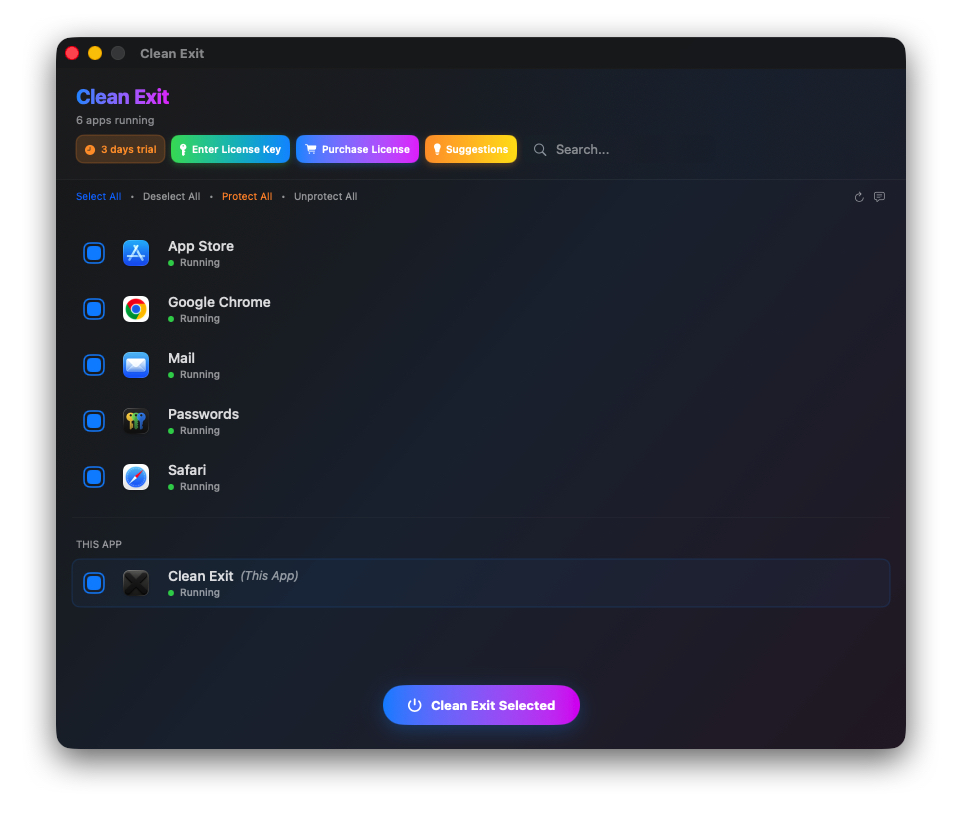
Quit multiple apps with one click
Protected apps list to prevent accidental quits
Smart warnings before quitting
Global keyboard shortcut support
Menu bar integration
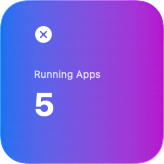
macOS Widget support
3-day free trial included
How to Use Clean Exit
Download & Install
- •Download Clean Exit.dmg
- •Open the .dmg file
- •Drag Clean Exit to Applications folder
- •Launch from Applications
Screenshot: Installation
(Coming soon)
First Launch & Security
Clean Exit is notarized by Apple for your security:
- ✓Notarized & Signed: Verified by Apple's security systems
- ✓Direct Distribution: No App Store restrictions
- •Right-click Clean Exit in Applications → Open
- •Click "Open" to confirm first launch
- •Grant Accessibility permission when prompted
Why non-sandboxed? macOS sandbox prevents apps from controlling other apps. Clean Exit uses official Apple APIs outside the sandbox to quit apps safely.
Quit Apps Safely
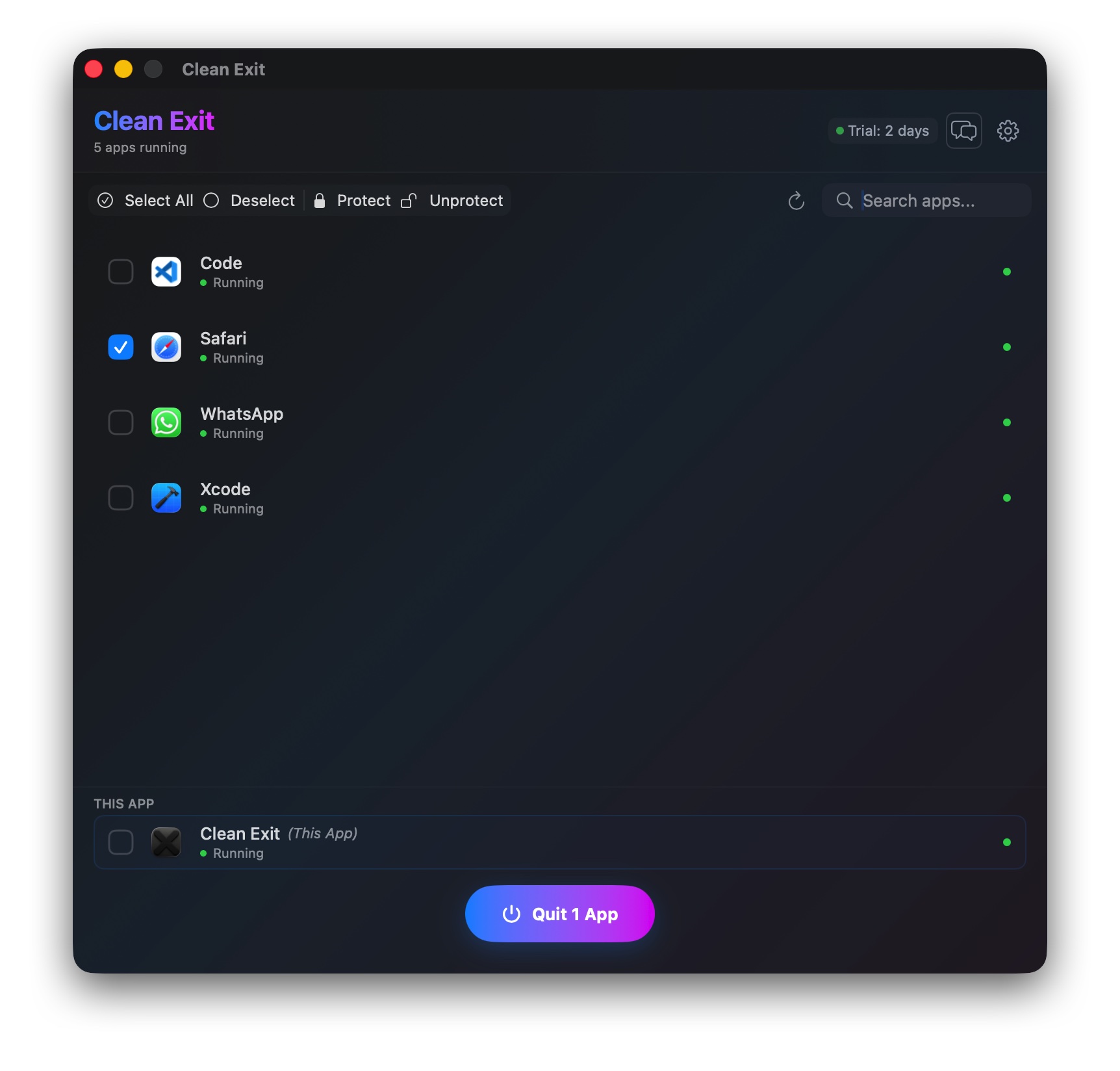
- •See all running apps in the list
- •Select apps you want to quit (checkbox)
- •Click "Quit Selected Apps"
- •Confirm the warning dialog
- •Apps will quit gracefully
💡 Tip: Protect important apps with the lock icon so they won't quit accidentally.
📱 Widget Available: Quick access from your macOS Notification Center and desktop widgets.
Screenshot: License Entry
(Coming soon)
Activate Your License
After purchasing:
- •Check your email for license key
- •Open Clean Exit
- •Go to: Clean Exit → License Information
- •Click "I have a license key"
- •Enter your email and license key
- •Click "Activate"
✓ Your license is stored securely in macOS Keychain and persists across updates.
Trial vs. Premium
| Feature | 3-Day Trial | Premium (€6.99) |
|---|---|---|
| Quit multiple apps at once | ✅ | ✅ |
| Protect apps from quitting | ✅ | ✅ |
| Menu bar quick access | ✅ | ✅ |
| Global keyboard shortcut | ✅ | ✅ |
| Widget integration | ✅ | ✅ |
| Unlimited use | 3 days only | ✅ Lifetime |
| Free updates | – | ✅ Forever |
| Priority support | – | ✅ |
Frequently Asked Questions
▶Why isn't Clean Exit sandboxed? Is it safe?
macOS sandbox restrictions prevent apps from quitting other apps - this is Apple's security design. To provide Clean Exit's core functionality, we must use Apple's official APIs outside the sandbox.
Clean Exit is safe because:
- Uses only official Apple APIs (NSAppleEventDescriptor)
- No network connections or data collection
- Code-signed and notarized by Apple
- Only accesses apps you explicitly select
- Transparent about permissions required
▶What permissions does Clean Exit need?
Clean Exit requires Accessibility permission in System Settings. This allows it to send quit commands to other apps. No other permissions are needed.
We don't request: Camera, Microphone, Location, Contacts, Files, or Network access.
▶How does the 3-day trial work?
When you first launch Clean Exit, a 3-day trial starts automatically - no credit card required. The trial period is tracked securely in your macOS Keychain.
After 3 days, the app will show a purchase prompt. You can purchase anytime during the trial to unlock unlimited use.
▶What happens to unsaved work when I quit apps?
Clean Exit always shows a warning before quitting apps: "Unsaved data in the selected apps might be lost."
Apps receive a graceful quit signal (like pressing Cmd+Q), so most apps will prompt you to save. However, we recommend saving your work first to be safe.
💡 Tip: Protect important apps with the lock icon to prevent accidental quits.
▶Can I use Clean Exit on multiple Macs?
One license works on all Macs you personally own. Your license is tied to your email address, and you can activate it on multiple devices.
For business/team use, please contact us at contact@visionlabtech.com for volume licensing.
▶What are the system requirements?
- macOS 11.0 (Big Sur) or later
- Apple Silicon (M1/M2/M3/M4) or Intel processor
- 10 MB disk space
- Accessibility permission required
▶What's your refund policy?
We offer a 30-day money-back guarantee. If Clean Exit doesn't work for you, email us at contact@visionlabtech.com and we'll process a full refund - no questions asked.
See our full Refund Policy.
▶I lost my license key. How do I recover it?
Email us at contact@visionlabtech.com with the email address you used for purchase. We'll resend your license key within 24 hours.
Your license is also stored in your purchase confirmation email from Paddle.
Help Us Improve Clean Exit
Have suggestions, feature requests, or feedback? We'd love to hear from you!
Submit FeedbackView and vote on other users' suggestions too!